
MODULE 02 · STEP 06 · trainable
Files and working directory
The first task went smoothly because of one easily overlooked prerequisite: you first entered the pi-practice directory, and only then launched Pi. For an agent, the current working directory is like a work area laid out on a desk; it helps Pi understand relative paths and project context.
The working directory is not a security isolation
Pi's tools still run with the current user's permissions, and can technically access locations outside the current directory. A dedicated practice directory makes the scope clearer, but it does not mean you are inside a sandbox.
Understand paths first
Run in a normal terminal:
pwdpwd tells you the directory you are currently in. For example:
/Users/your-user-name/Downloads/pi-practiceA path is a file's location on the computer. / separates folder levels, while ~ is shorthand for your user home directory. ~/Downloads/pi-practice and the full path above usually point to the same location.
Windows users still use Git Bash; your practice directory is written ~/pi-practice, and pwd usually shows /c/Users/your-user-name/pi-practice. Do not change the / in Git Bash into the backslash that Windows Explorer uses.
Run ls to see the contents of the current directory. Run cd followed by a directory name to enter another directory. These three commands are enough to support a beginner's first few exercises.
Confirm the location before running
Do not practice directly in your home directory, your whole downloads directory, or the parent directory of an important project. Create a dedicated folder first, check it with pwd, then type pi.
What problem @file solves
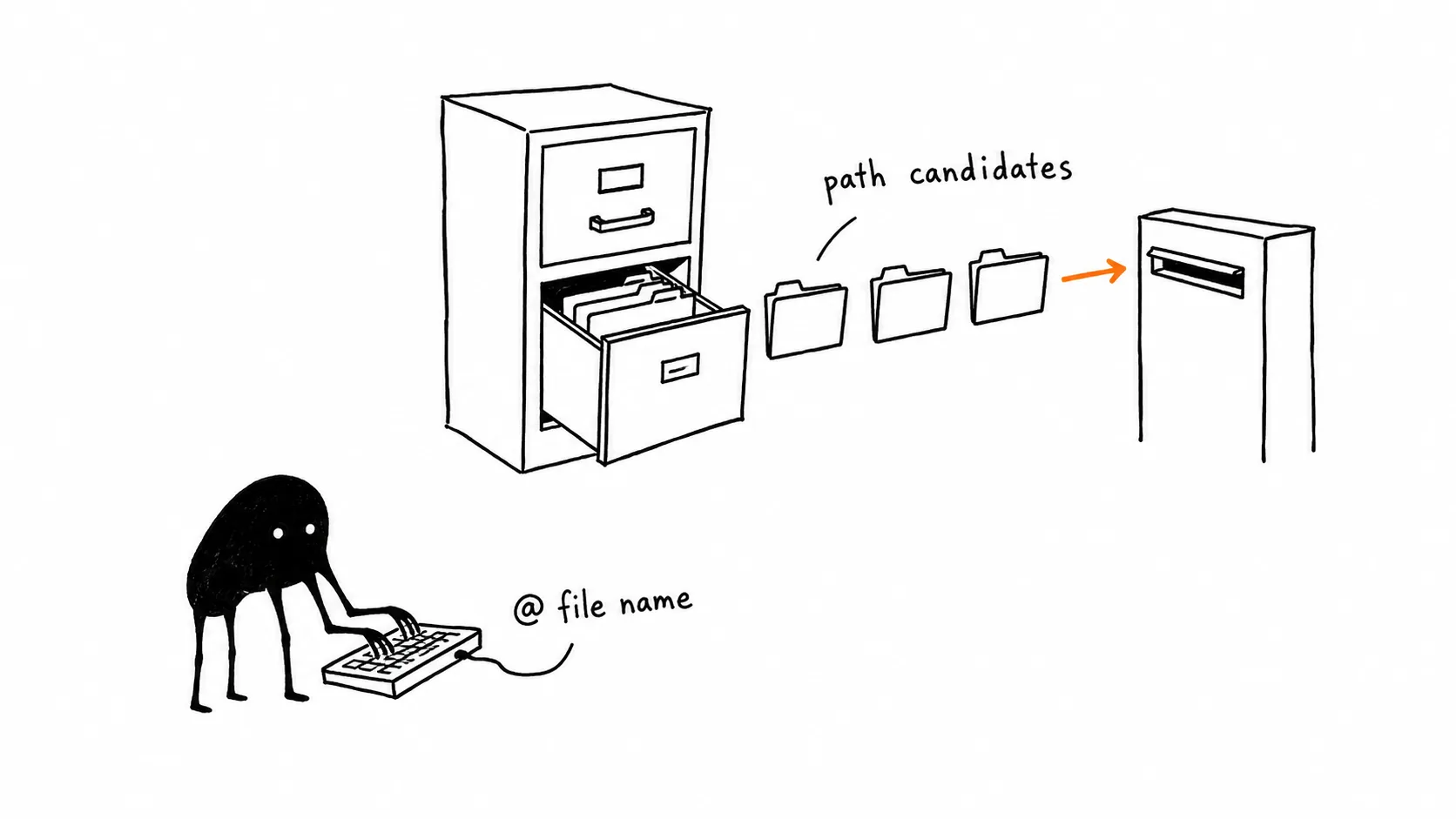
In Pi's input area, type @ to search for a file in the current project. After you choose one, the input area keeps an explicit file reference for this message; this does not mean Pi has automatically read it to the end, and even less that you may skip the read-write records and the result checks that follow.
The full sequence here is:
- Make sure the edit area at the bottom of Pi can accept input.
- Type
@, then keep typingnotulen. - In the file list that appears, select
input/notulen-rapat.mdwith the up and down arrow keys. - Press
Returnto confirm. Only continue writing the rest of the task after this file reference is kept in the input area.
Nothing has been sent yet: the search text is still in the input area, and the candidate input/notulen-rapat.md has already appeared below. Check the relative path first, then press Return to select it. A candidate appearing only proves Pi found the file, not that it has read the contents.
If no file list appears after you type @, first exit Pi with /quit. In a normal terminal, run pwd and ls input, make sure you are in the correct practice directory and that the file really exists, then launch Pi again.
For example, you could type:
Please read @input/notulen-rapat.md,
then tidy its action items into output/daftar-tindakan.md.
Do not change the original text.
This is more reliable than "just look at those meeting notes". It reduces the chance of same-named files, wrongly chosen material, and inconsistent path understanding. Pi also supports passing @file as a file argument at launch, but beginners can just use @ in the interactive interface for now.
Practice: producing a second result with an explicit file
Before starting, you should have finished lesson 5, and both input/notulen-rapat.md and input-before.sha256 should already exist. First run in a normal terminal:
cd ~/Downloads/pi-practice
pwd
shasum -a 256 -c input-before.sha256
test -f input/notulen-rapat.md && echo "PASS: input exists"
Linux and Git Bash on Windows replace the first fingerprint check with sha256sum -c input-before.sha256; on Windows, also change the cd path to ~/pi-practice.
If the practice directory is not pi-practice, replace it with the real name you noted. If the fingerprint is not OK, the input does not exist, or the pwd location is wrong, do not continue; return to the clean material from lesson 5.
Launch Pi, select input/notulen-rapat.md with @ in the edit area, then send:
Material: @input/notulen-rapat.md
Process: extract only the three deadlines, sort them from earliest to latest, and keep the matching owners
Output: output/indeks-tenggat.md
Constraints: do not change the input, do not overwrite the existing output/daftar-tindakan.md; for information not present in the original text write "unknown"
Verification: the output must be exactly three items, and report the actual paths read and written
Watch the actual read-write paths. If another same-named file appears, or it is about to write into input, or the output path is not output/indeks-tenggat.md, stop at once and check the working directory. If the output directory does not exist, exit Pi, run mkdir -p output in a normal terminal, then try again; do not temporarily change it to a location you yourself cannot find.
Write a task clearly in four sentences
When you do not know how to give instructions, write them in this order:
- Where the material is.
- What processing is done.
- Where the result is placed.
- What must not be done, and what result counts as passing.
Material: @input/notulen-rapat.md
Process: extract the items, owners, dates, and risk reminders
Output: output/daftar-tindakan.md
Constraints: do not change the input, the output must contain the 3 items from the original text
Do not forget project context files
Besides the material you explicitly reference with @, Pi by default also looks for AGENTS.override.md, AGENTS.md, and CLAUDE.md going up from the current directory, and reads the user-level ~/.pi/agent/AGENTS.md. These files provide project rules; they are not ordinary material you attach manually to this message.
When you face an unfamiliar repository, include these files in your inspection scope too. If you really want to run while ignoring context files entirely, use this in a normal terminal:
pi --no-context-filesAfter a context file in an automatically discovered location changes, you can reload it with /reload in Pi. --no-context-files only disables this kind of explanatory file; it does not restrict file permissions on the built-in tools, and it is not a sandbox either.
Minimum check after finishing
Exit Pi or open a new terminal window, confirm the location first, then check the files.
cd ~/Downloads/pi-practice
pwd
ls input output
shasum -a 256 -c input-before.sha256
test -f output/indeks-tenggat.md && echo "PASS: date index exists"
sed -n '1,80p' output/indeks-tenggat.md
Linux and Git Bash on Windows also replace shasum -a 256 -c with sha256sum -c; the cd path on Windows still uses ~/pi-practice.
If in lesson 1 you used pi-practice-2 or another name, here and in the following lessons every pi-practice must be replaced with the practice directory name you actually noted.
At minimum you should be able to answer three questions: which file Pi read, which file it wrote, and whether the original text was preserved. The date index must also contain exactly Rani, 2026-08-28; Bayu, 2026-08-30; Sari, 2026-09-01, in order from earliest to latest. Once these boundaries are stable, only then make the task more complicated.
Verifying this lesson
- The
@reference points to the correctinput/notulen-rapat.mdbefore sending. - The actual read-write records show no unexpected directories, and do not overwrite the action list from the previous lesson.
- The input fingerprint still shows
OK, the new output exists, and the three dates, owners, and their order are correct. - When a same-named file appears, a path is wrong, or the input changes, you know to stop first and check in a normal terminal instead of guessing on.